

Driving Efficiency with Automated Task and Stock Management
Today’s post covers the implementation of a Material Reordering Process in a warehouse. We will explore several platform capabilities that apply to a wide range of processes, with a focus on our Scheduling Module.
The TLP Scheduling Module is a versatile engine designed to schedule (either manually or fully automated) various operational demands such as transport orders, picking and production orders. It generates a list of tasks assigned to available executors — for example: warehouse personnel, work-centers, AGVs … etc.
Imagine a WMS that doesn’t just store data, but actively orchestrates your floor. A system that directs every operator’s current task and future move, dynamically shifting priorities in real-time. Today, we’re exploring this ‘What If’ through the lens of stock replenishment—though the same logic can be scaled across your entire operation.
Scenario
In our scenario we will demonstrate how TLP can satisfy the following user requirements realted to WMS and scheduling:
| REQ | Description |
|---|---|
| 001 | The WMS shall support location-specific replenishment configurations, allowing unique reorder points and maximum stock thresholds to be defined at the individual bin level. |
| 002 | The WMS shall automatically initiate replenishment tasks once the inventory for a specific location falls to the predefined reorder point. |
| 003 | The WMS shall automatically trigger replenishment tasks upon stock depletion. These tasks must be dispatched to the operator's mobile device, featuring an optimized UI to ensure seamless task execution and confirmation. |
| 004 | The WMS shall dynamically schedule and assign tasks to active operators based on their validated certifications (e.g., forklift license) and defined skill levels to ensure optimal resource allocation. |
Figure 1 gives a visual overview of how we want to manage material reordering in locations of bays 01-01 and 01-03 of area A1.
- Bay 01-01 should store stock of material HEX-M05-010-SS, which represents stainless steel bolts of 10mm length.
- Bay 01-03 should store stock of material HEX-M05-020-SS, which represents stainless steel bolts of 20mm length.
- Shelves C-G act as reserve locations and have a capacity of 1 pallet.
- When a pallet is removed from shelves C-G, the system should automatically pull a new pallet — of the same material — from the overstock area in A2.
- Execution of transport orders is restricted to users with the Material Handler role. Furthermore, picking pallets from high shelves H, I, and J requires a high-reach truck and the corresponding High Reach skill; standard forklifts cannot be used to pick from these locations.
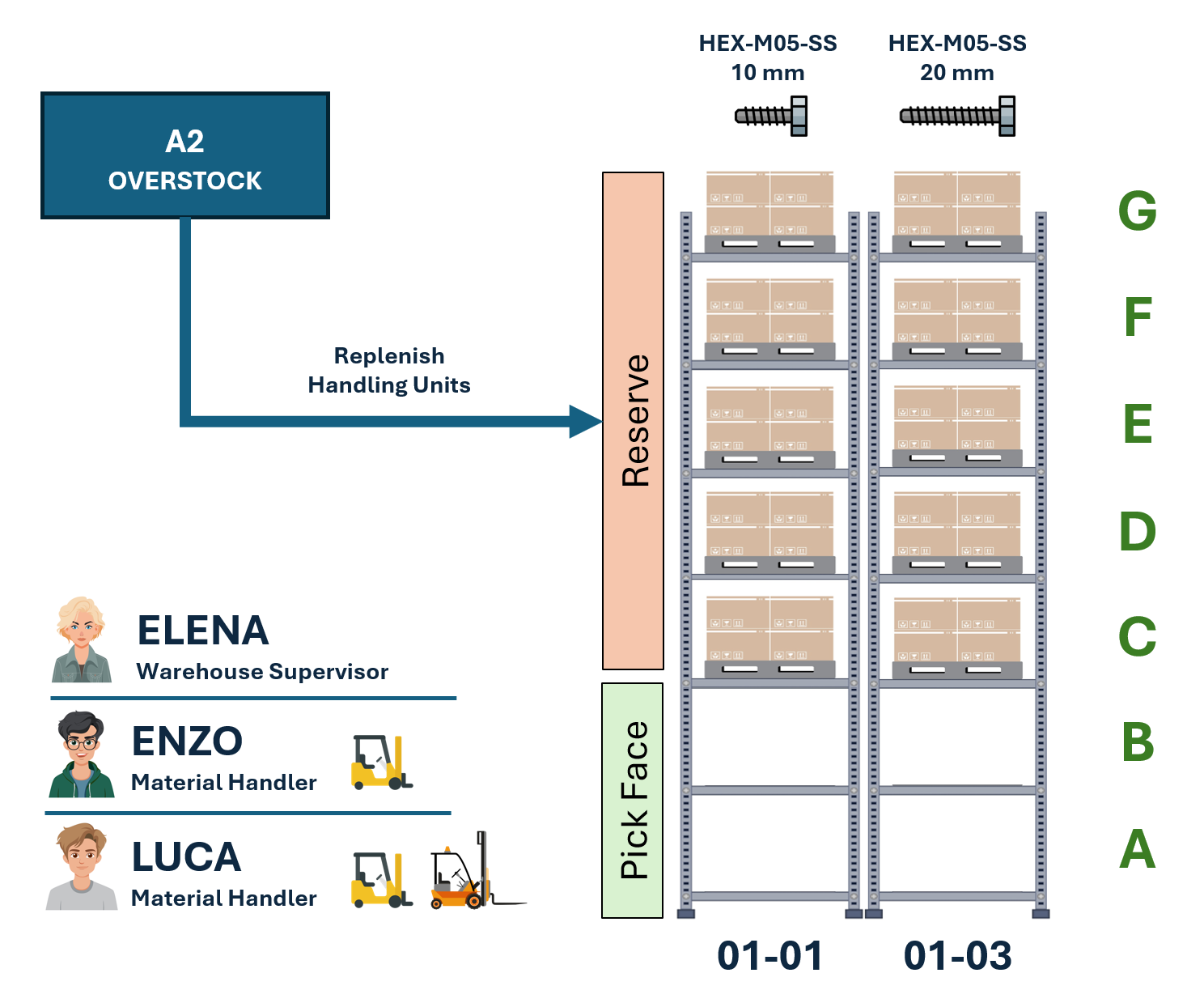
We will also assume we have the users listed in the table below. Note that Enzo can only operate a classic forklift, while Luca is also qualified to operate high-reach trucks for picking pallets from high shelves.
| Avatar | Username | Role | Description | FL | HR |
|---|---|---|---|---|---|
 |
Elena | Supervisor | The warehouse supervisor with NO training for driving forklifts or high-reach trucks. | - | - |
 |
Enzo | Material Handler | A material handler trained and certified to drive a forklift. | x | - |
 |
Luca | Material Handler | A material handler trained and certified to operate both a forklift and a high-reach truck, the latter being required when picking from high shelves H, I, and J. | x | x |
Location Configuration
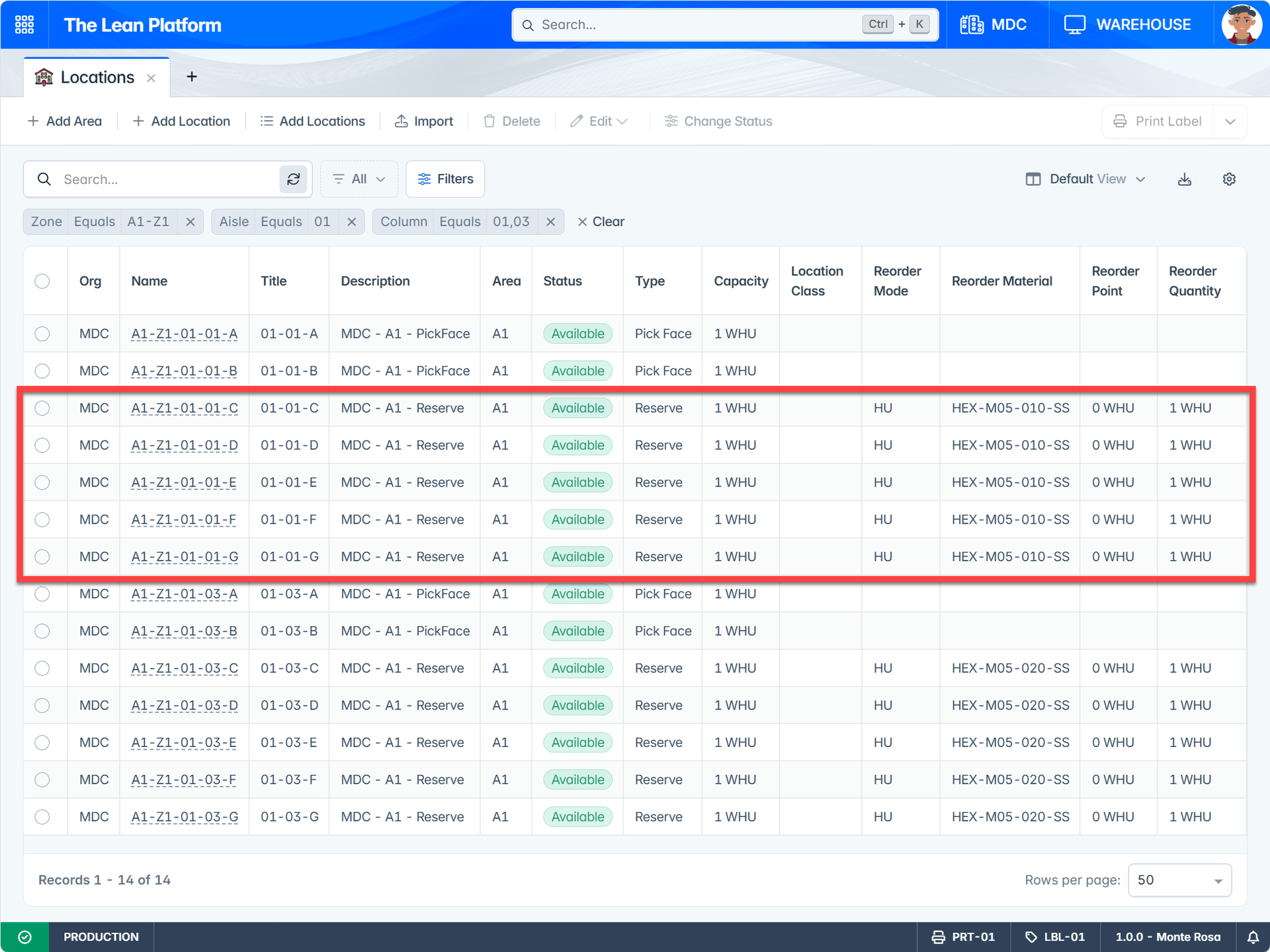
Now that the requirements are clear, let’s see how locations in bays 01-01 and 01-03 are configured in TLP to meet those business requirements. Key points to note:
- All locations are configured with a capacity of 1 WHU, meaning at most one warehouse handling unit can be stored in each location.
- Locations 01-01-C through 01-01-G have their reorder attributes configured to match the scenario requirements: when the location quantity reaches or falls below the reorder point of 0 WHU, a new HU with material HEX-M05-010-SS is automatically pulled from an overstock location.
- The same logic applies to locations 01-03-C through 01-03-G, but for material HEX-M05-020-SS.
Triggering Reorder Logic
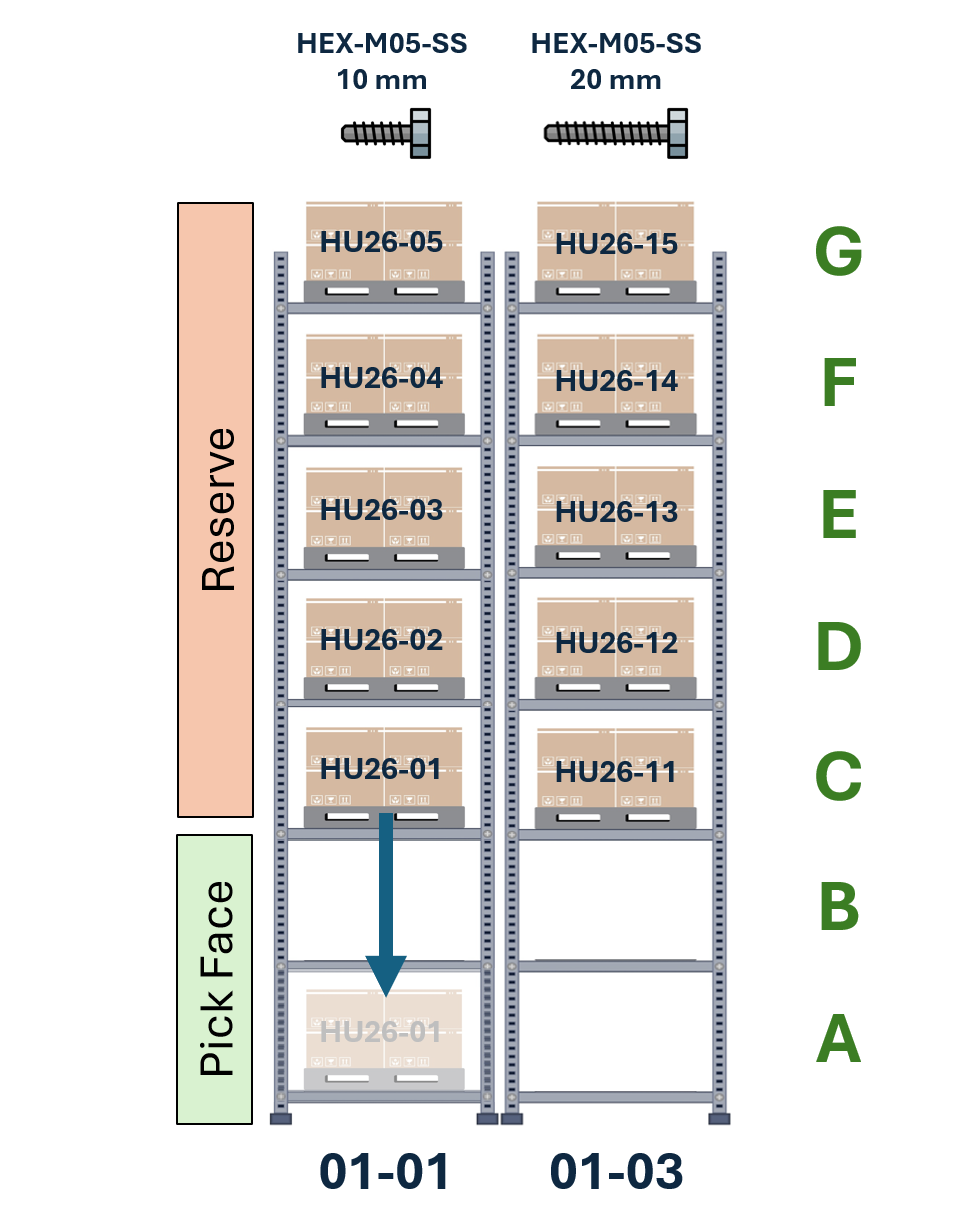
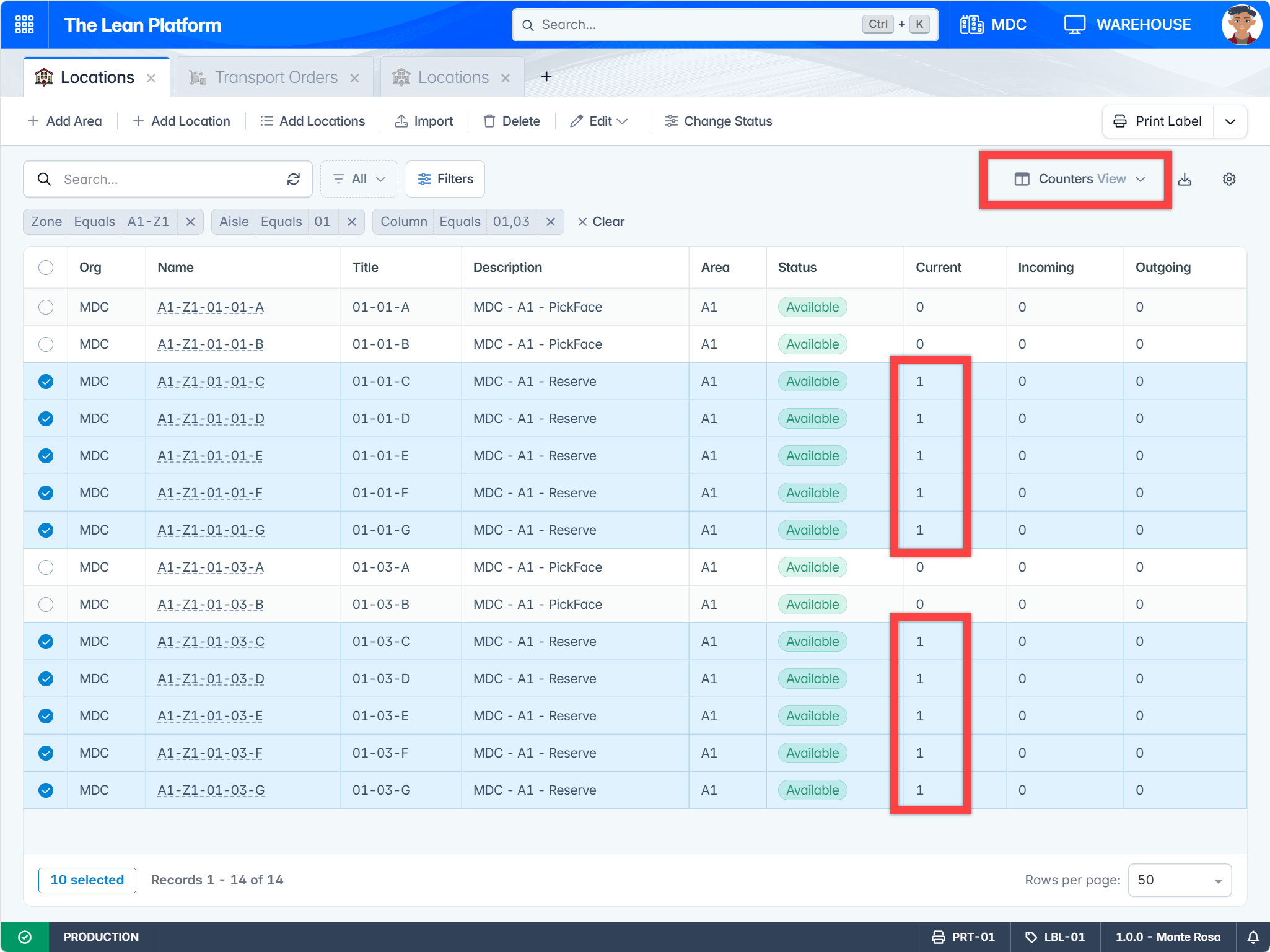
For our first test, let’s assume the warehouse locations are in the state shown in Figure 3:
- All reserve locations are currently filled with an HU. For simplicity, HU names follow the format HU26-01 instead of HU26-0000000001.
- Overstock locations in area A2 contain enough handling units of materials HEX-M05-010-SS and HEX-M05-020-SS for our test.
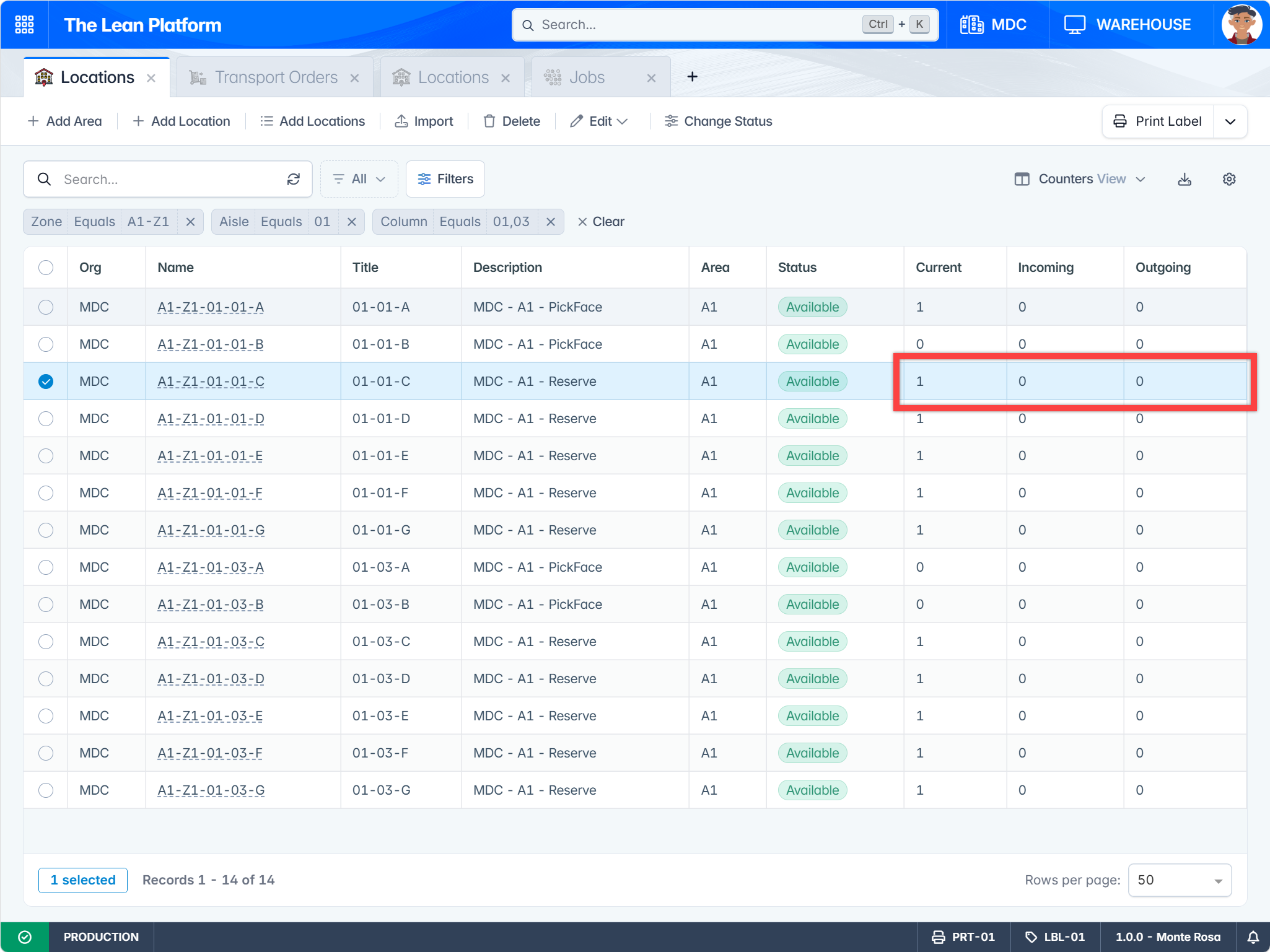
We can observe location status in the system using the Counters View. The Current column shows 0 for pickface locations (shelves A and B) and 1 for reserve locations (shelves C-G).
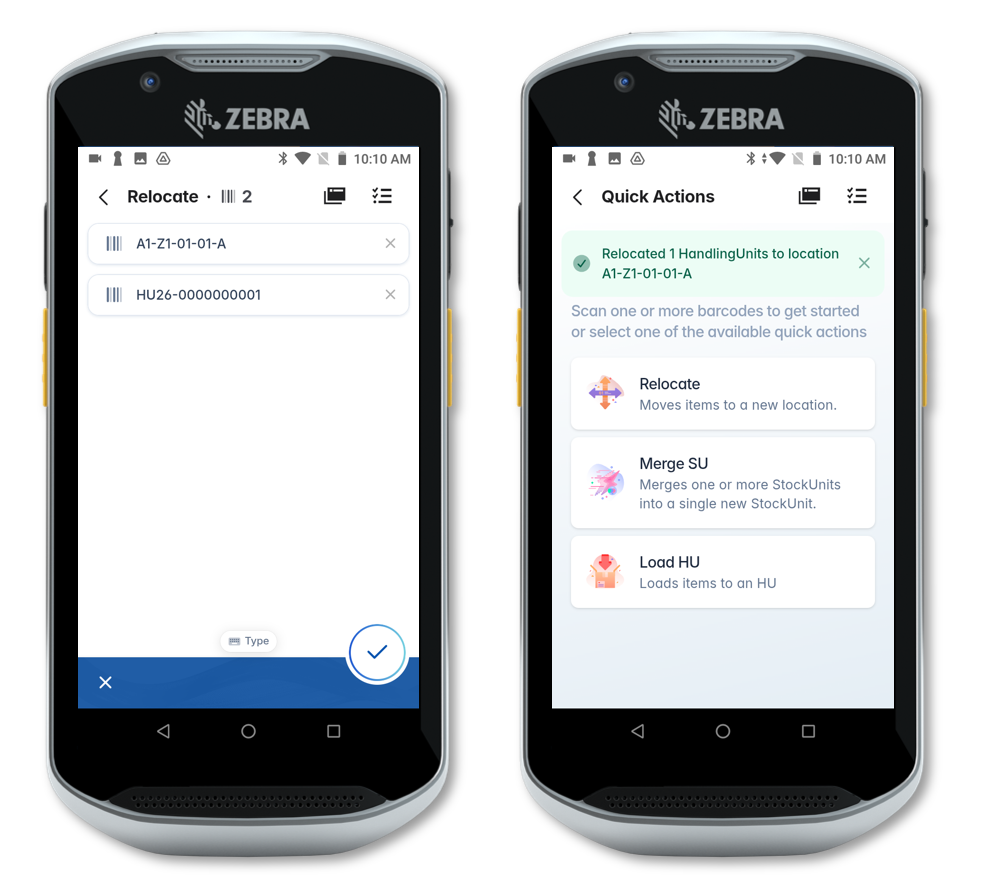
To trigger the reorder logic, we use a mobile quick action to relocate handling unit HU26-01 from 01-01-C to 01-01-A, thereby freeing location 01-01-C.
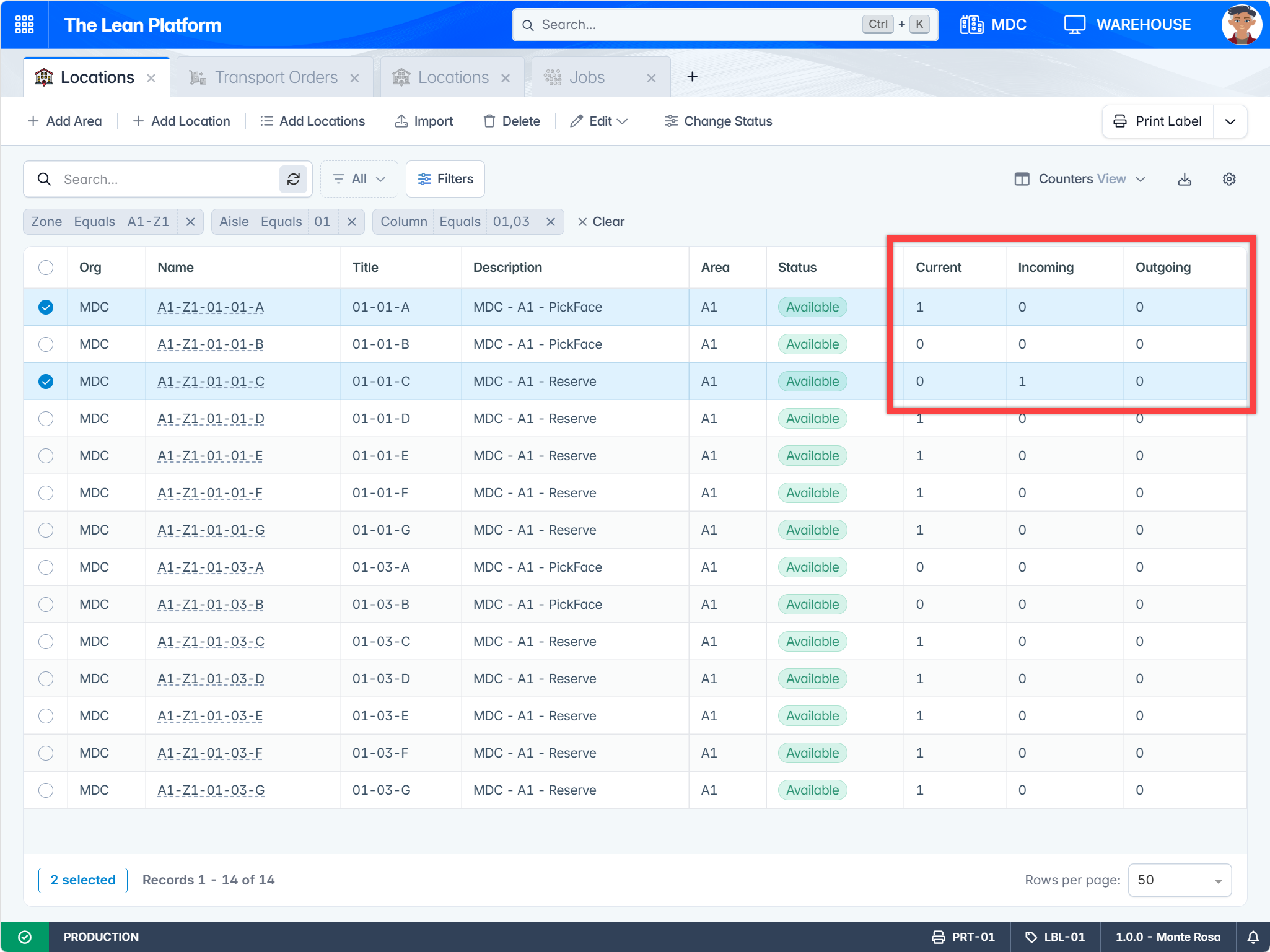
Within a few seconds, the WMS reorder logic detects that location 01-01-C is empty and generates a transport order to pull a new handling unit from overstock area A2. The effect is visible in Figure 6:
- Location 01-01-C current count changed from 1 → 0 (due to the relocation).
- Location 01-01-A current count changed from 0 → 1 (due to the relocation).
- Location 01-01-C incoming count changed from 0 → 1, indicating a transport order was automatically created to bring a new HU to this location.
Note
In our tests the system is configured to trigger reorder logic as soon as the reorder point is reached. In a real warehouse, you may want to configure a delay (e.g., 60 minutes) between the time the reorder point is reached and when the system pulls new materials.
Transport Order Scheduling & Execution
Now to the interesting part: how are transport orders communicated to forklift operators and executed? TLP has a powerful and efficient Scheduling Module designed to create and assign tasks to available executors. In our scenario:
- Tasks are Transport Orders.
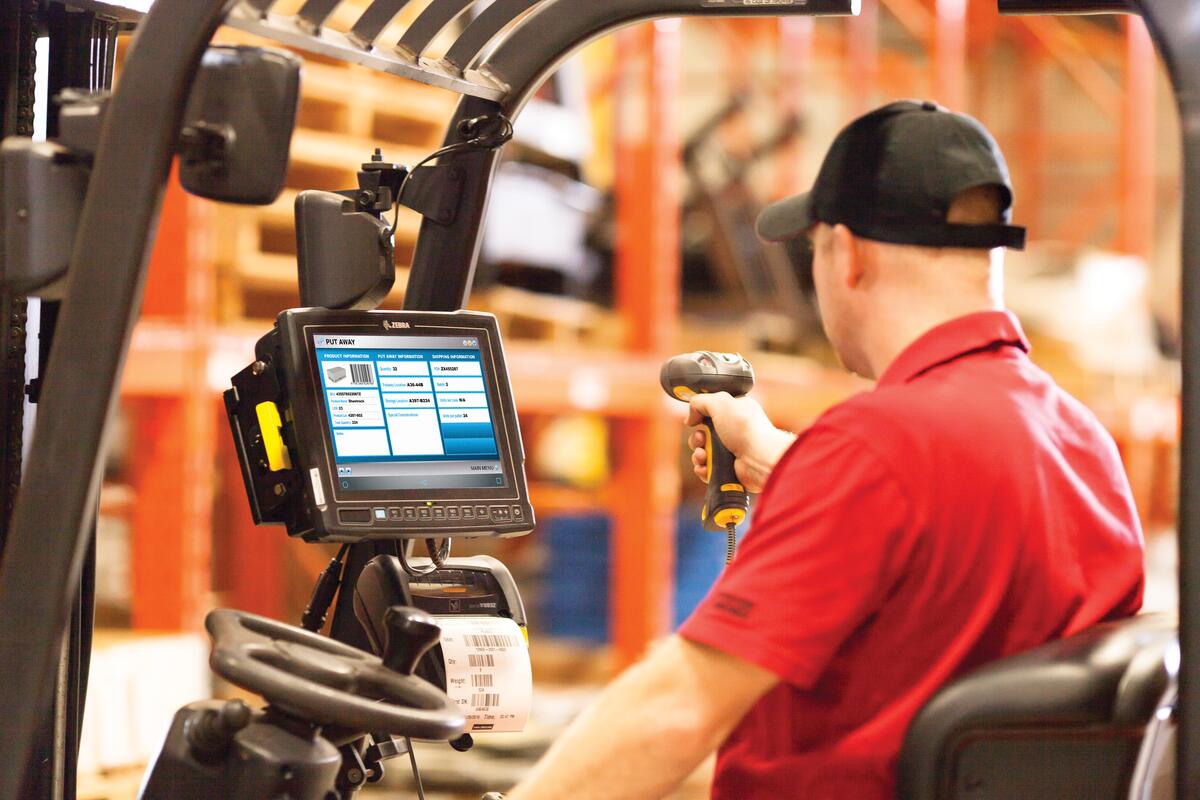
- Executors are users with the Material Handler role connected to a handheld device — in other words, Enzo and Luca. The handheld device could also be a Vehicle Mount Computer such as the Zebra VC8300.
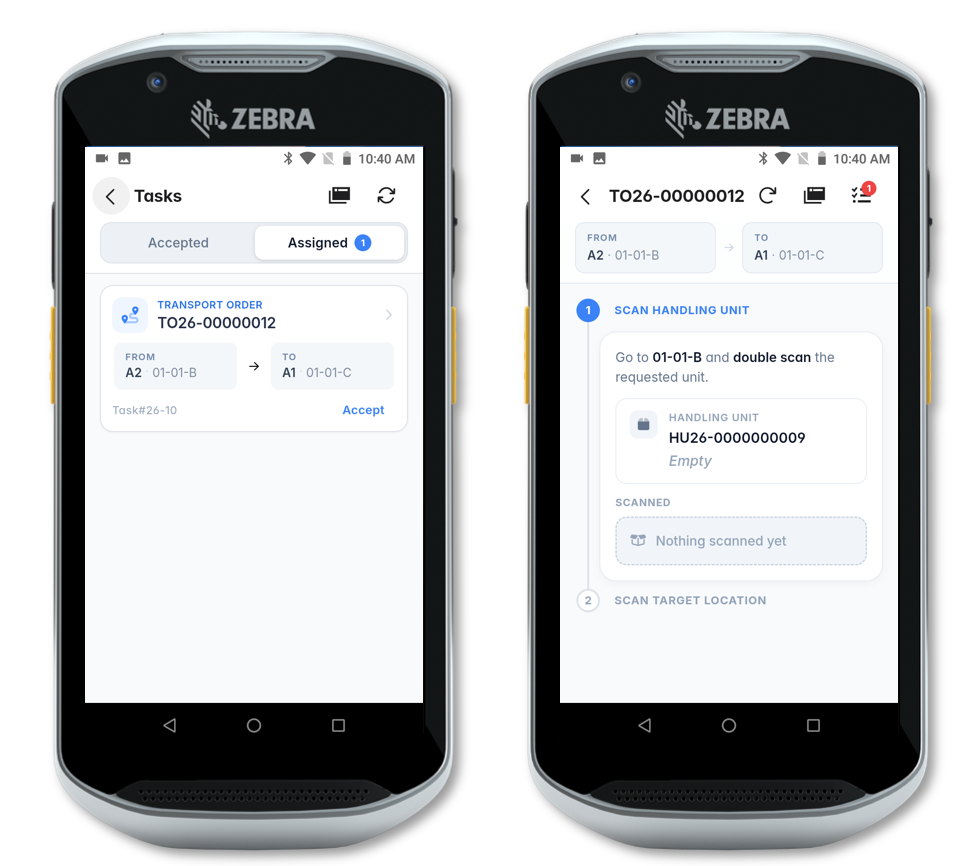
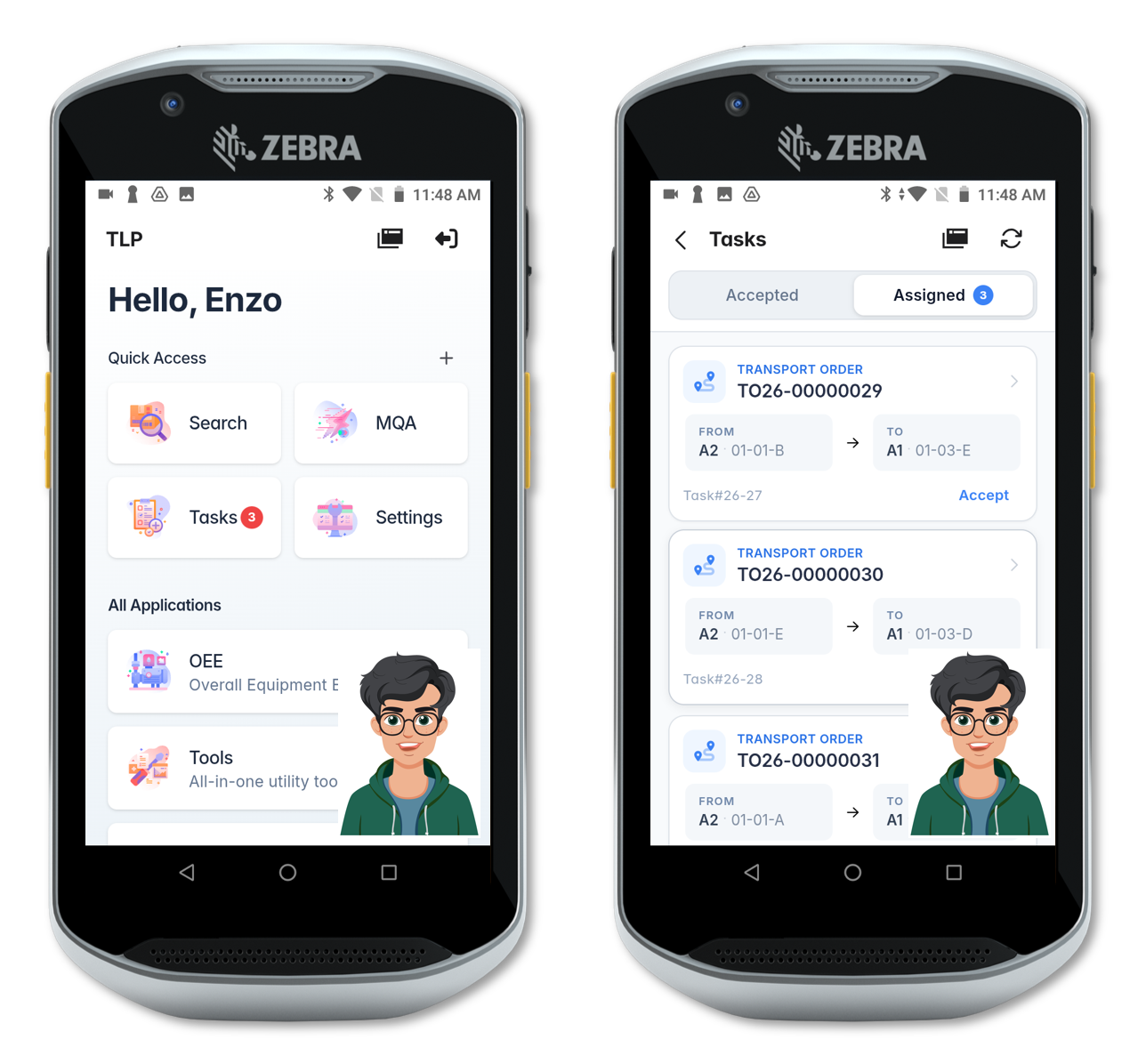
The previously created transport order is scheduled automatically by the system and assigned to Enzo.
Following the system instructions, Enzo proceeds to location 01-01-B in area A2 and performs a double-scan of HU26-09 to verify he picked the correct unit before transporting it to location 01-01-C in area A1.
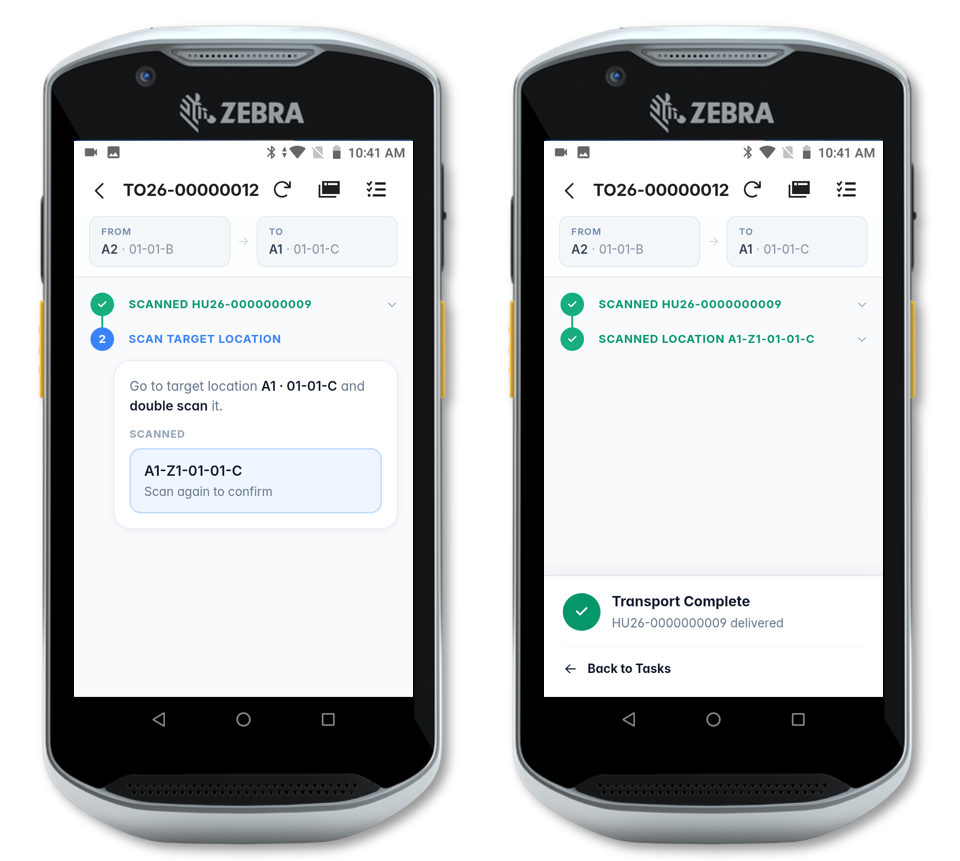
Upon arriving at location 01-01-C, Enzo double-scans the target location barcode to complete the transport order, physically deposits HU-09 there, and moves on to the next task.
After completing the transport order, location 01-01-C counters update as follows:
- Current count changed from 0 → 1.
- Incoming count changed from 1 → 0.
Multiple Transport Orders
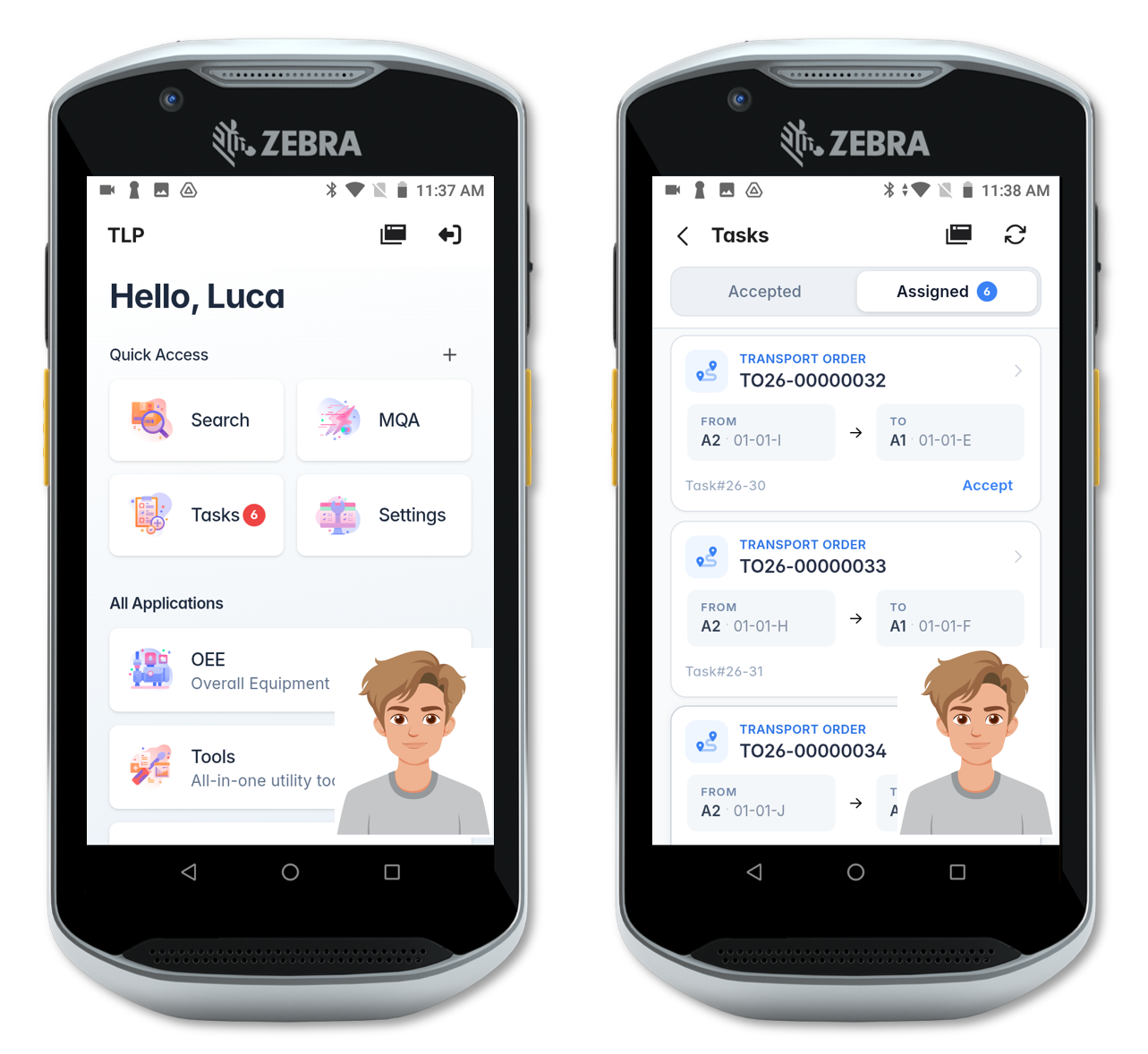
Let’s ensure only Luca is connected to the system and relocate 6 handling units from reserve locations to outbound docking location DOCK-01. This action frees 6 locations, causing the system to pull 6 new handling units from overstock area A2 and assign them all to Luca.
Of the 6 transport orders, 3 of them — TO26-32, TO26-33, and TO26-34 — pick from high shelves I, H, and J.
Now let’s disconnect Luca and log in as Enzo. After a few seconds the Scheduling Module reschedules and reassigns tasks to Enzo.
Notably, only 3 of the 6 tasks are reassigned — because Enzo does not have the skill required to pick from high shelves.
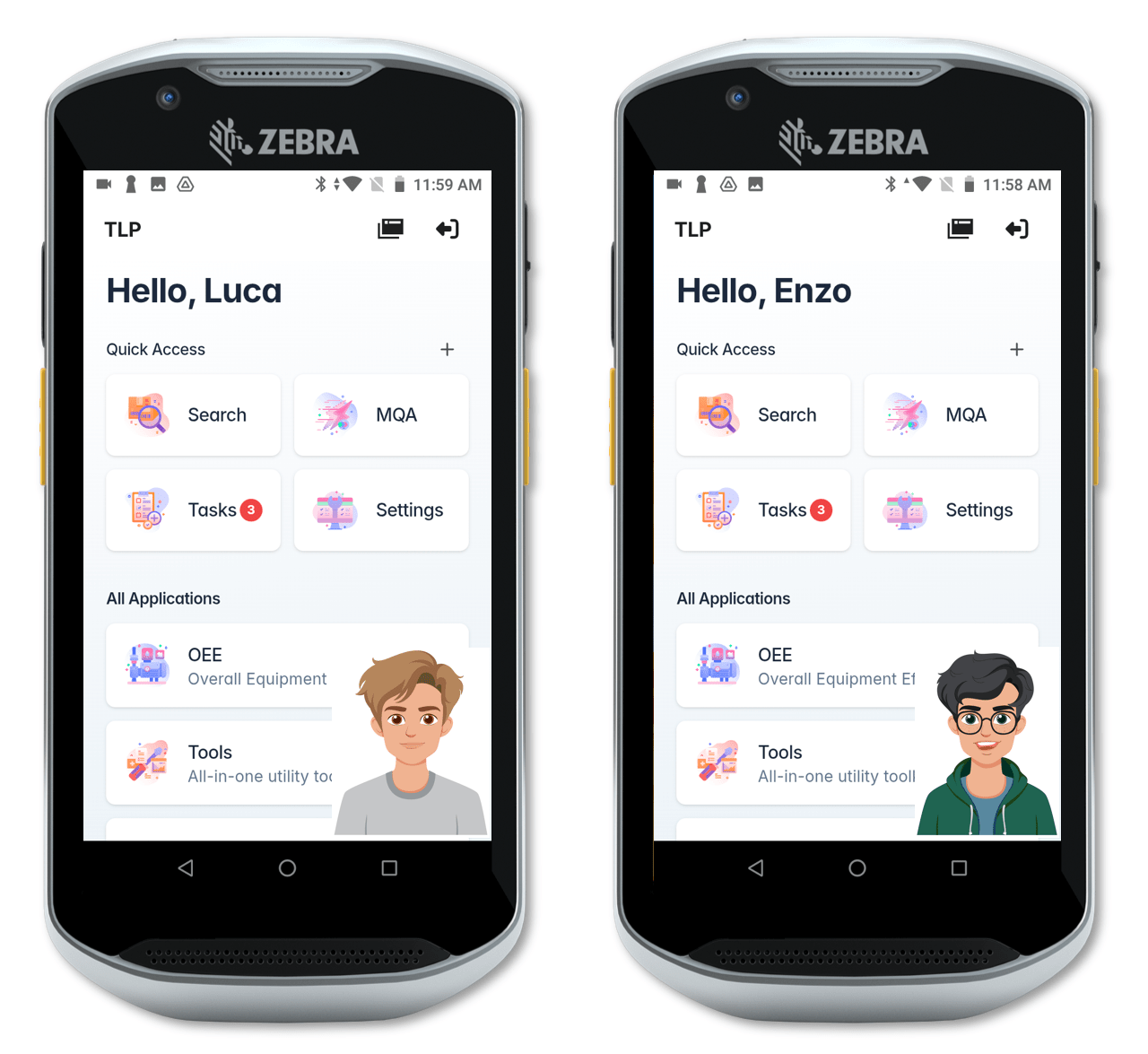
Finally, connecting with two devices simultaneously — one for Enzo and one for Luca — the Scheduling Module distributes the workload across both operators, respecting each person’s skills.
Summary
This post demonstrated how TLP handles end-to-end material replenishment, from detecting an empty location to scheduling and executing transport orders on the warehouse floor. The key capabilities covered were:
- Location-level reorder configuration — each bin can have its own reorder point, quantity, and target material.
- Automatic reorder triggering — the system monitors locations and generates transport orders without manual intervention.
- Skill-aware task scheduling — the Scheduling Module considers operator certifications (e.g., High Reach) when assigning tasks, ensuring only qualified personnel receive specific jobs.
- Dynamic rescheduling — as operators connect and disconnect, the scheduler continuously rebalances the workload across available executors.
Smooth operations don’t happen by accident. That’s where Elena comes in. From system monitoring to exception management, her supervisory role is the glue that holds the workflow together—more on that in our next post!
— Omar