

TLP Mobile Quick Actions
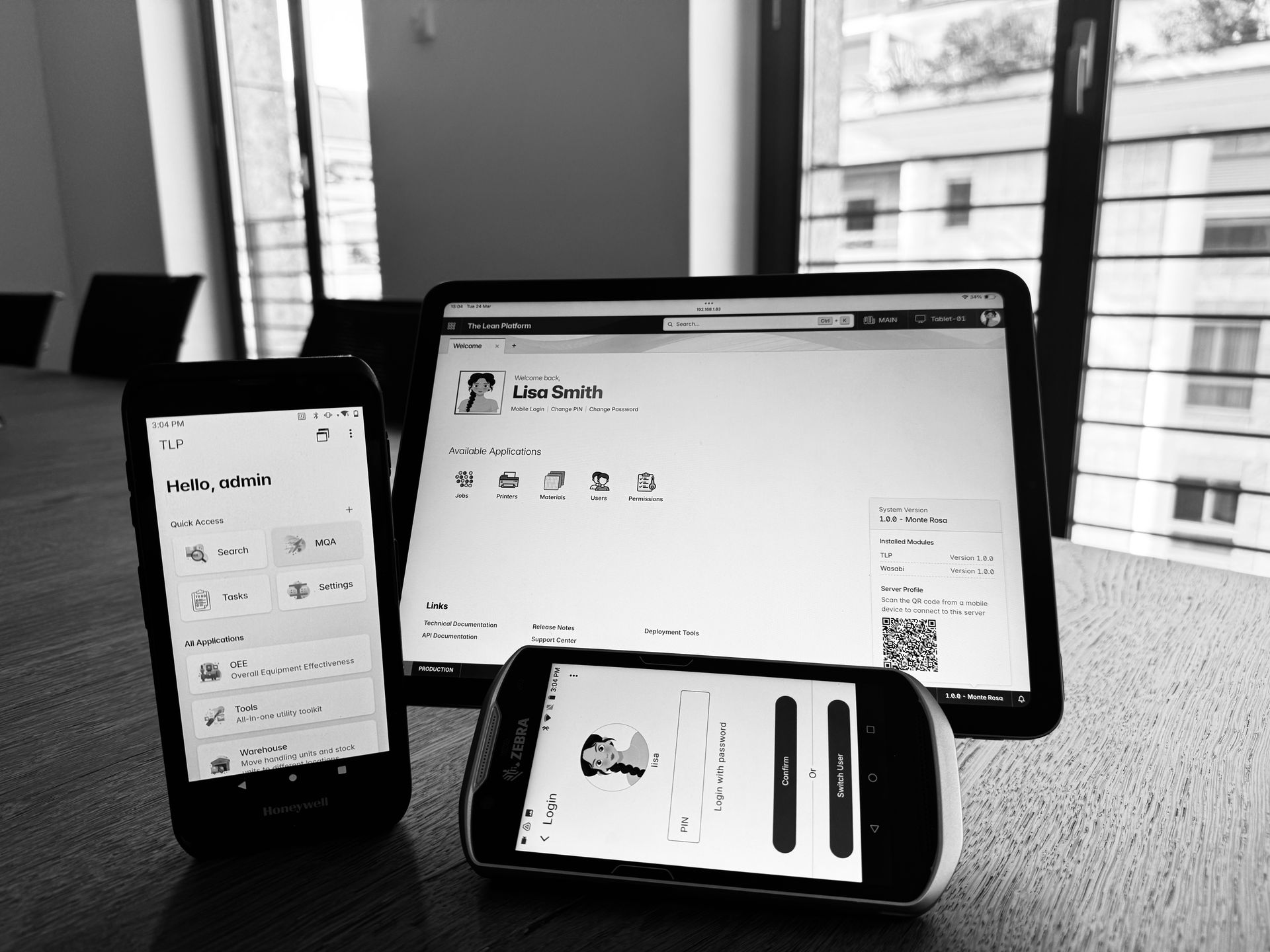
TLP stands for The Lean Platform and Lean is an important term for us, we want to give our customers a platform that enables them to quickly integrate their lean initiatives and avoid waiting weeks or even months to introduce new changes.
Today we are glad to introduce our Mobile Quick Actions application that is designed to solve a common shopfloor need in an elegant way, the key benefits of Mobile Quick Actions are:
- Super fast scanning.
- Can be added through configurations (no development needed).
- Can be configured with minimal effort (hours).
As always, for those in a hurry here is a video that DEMOs the functionality.
Mobile Quick Actions
If you think about it, many shopfloor operations can be represented as a sequence of barcode scans, and most importantly over time operators develop a muscle-memory for these sequences much like a typist whose fingers find the keys instinctively without conscious thought.
Lets for example think about the process of relocating a handling unit in a warehouse, it could be represented in the following sequence:

Step 3 is the interesting one, we asked ourselves a question: why don’t we represent such action with a barcode an operator can scan to tell the system his intent? so we did! and we called it a Mobile Quick Action or simply MQA, so the original sequence to relocate a handling unit became:

Iterating over and over the original concept we refined it more as follows:
- Allow scanning multiple Handling Units and Stock Units.
- Ignored the scanning sequence, operators can scan the target location barcode first or last.
- Provided a way to configure the executed logic through scripting.
And now, we have a framework that allows our customers to implement any sequence of scans as an MQA in a matter of hours through configurations! Lets see how it works.
MQA Relocate
Before looking into the specifics of the Relocate MQA, lets have a basic understanding of how the MQA framework works.
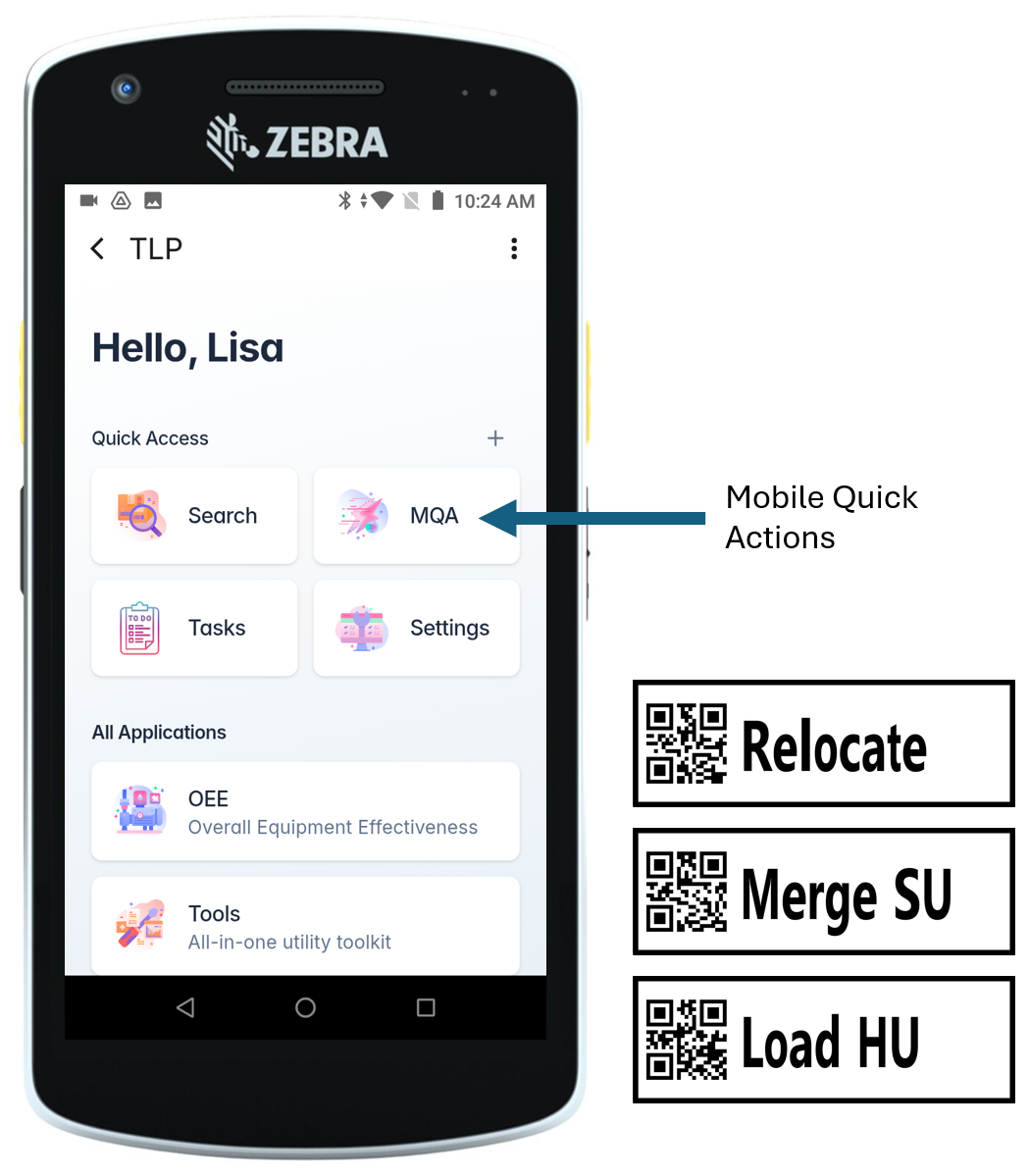
The MQA application is displayed on the mobile home page as shown in Figure 3, by default its enabled for all users, however each user can see and execute only the actions to which he has the corresponding permission.
Another important aspect is the MQA label, such labels can be printed from the desktop application and placed physically where actions are executed, for example the Relocate MQA could be placed on shelves; users should double-scan the MQA barcode to confirm the operation.
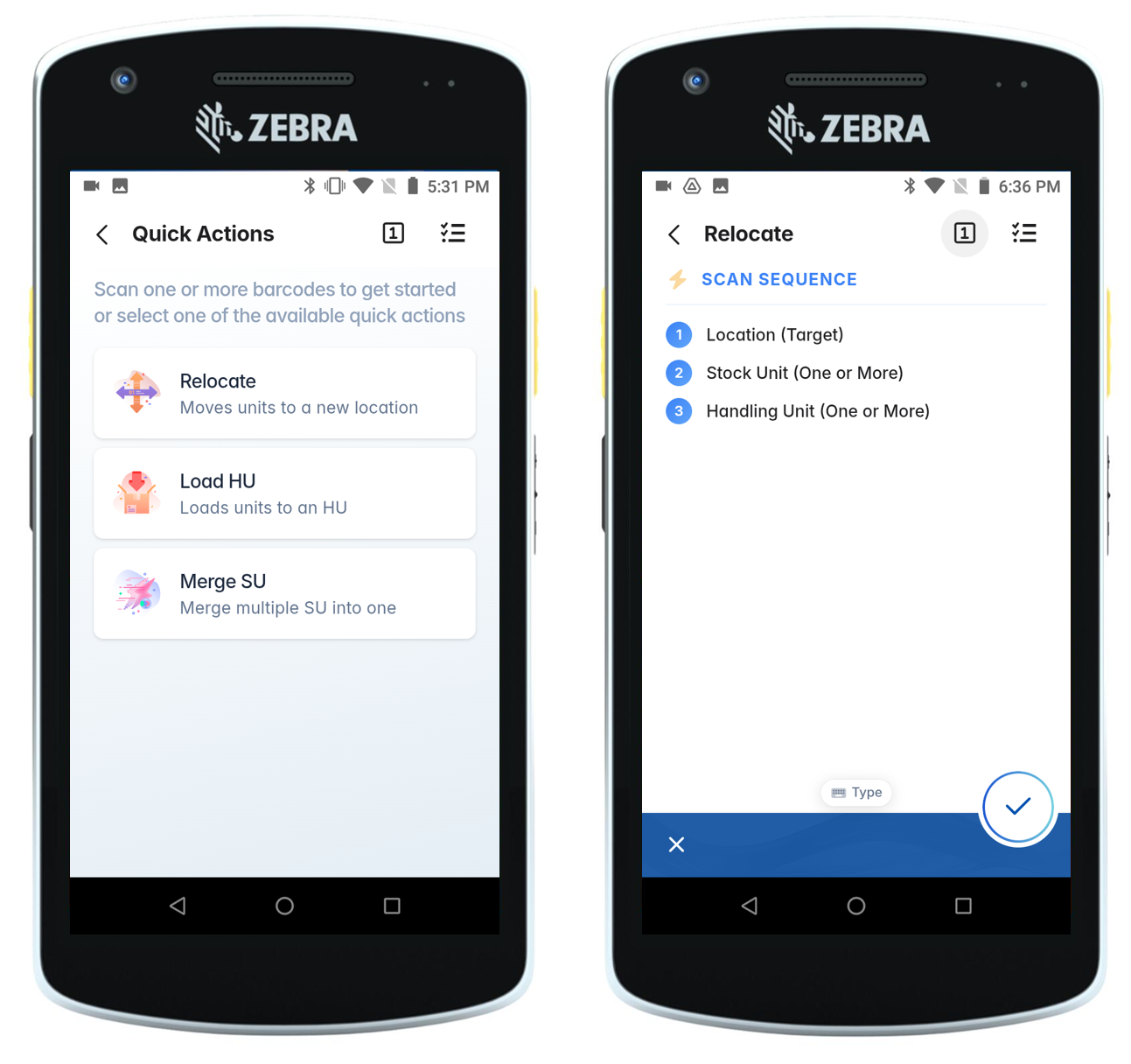
Tapping on the MQA application you get the list of available actions, you don’t need to select an action; you can start scanning barcodes immediately and then double scan the desired action barcode.
Note
The MQA list shows available actions and serves as a quick reference guide. If a user is unsure of the scanning sequence, they can simply tap an action to see exactly which barcodes are required and the order in which to scan them.
Testing time, in this video we simulate relocating 10 handling units HU26-01, HU26-02 up to HU26-10 to a new target location named DOCK-01, we scan the barcodes in the following order:
- Scan all 10 handling units.
- Scan target location DOCK-01.
- Double scan the relocate MQA to confirm the operation.
Note
Since the MQA is super fast we enabled the continuous scan on the Zebra device, thus we just press and hold the scanner button and then go over all the desired barcodes.
Summary
This post introduced Mobile Quick Actions, a TLP framework designed to streamline repetitive shopfloor operations through barcode scanning. The key takeaways are:
- Scan-driven workflow — any multi-step shopfloor operation can be reduced to a sequence of barcode scans, letting operators rely on muscle-memory for fast and accurate execution.
- MQA barcodes — actions are represented as physical barcodes placed at the point of use; a double-scan confirms the operation, eliminating the need to navigate menus.
- Flexible scanning order — operators can scan handling units and the target location in any order before confirming with the MQA barcode.
- Configuration over code — new actions can be introduced through scripting and configuration in a matter of hours, with no custom development required.
— Omar