

Warehouse Location Management

In this post series we explore how our TLP platform is used to manage warehouse operations of a hypothetical company named Pragma-Bolts. Today’s post focuses on location management, but before we get started with locations lets have a brief introduction about Pragma-Bolts and how its organized.
If you are in a hurry, you can watch this video, the first part provides an explanation about the warehouse we are going to model, while the second part shows how our TLP platform is used to create the warehouse locations, if you are not in a hurry then I suggest to read through this article and then watch the video.
Pragma-Bolts
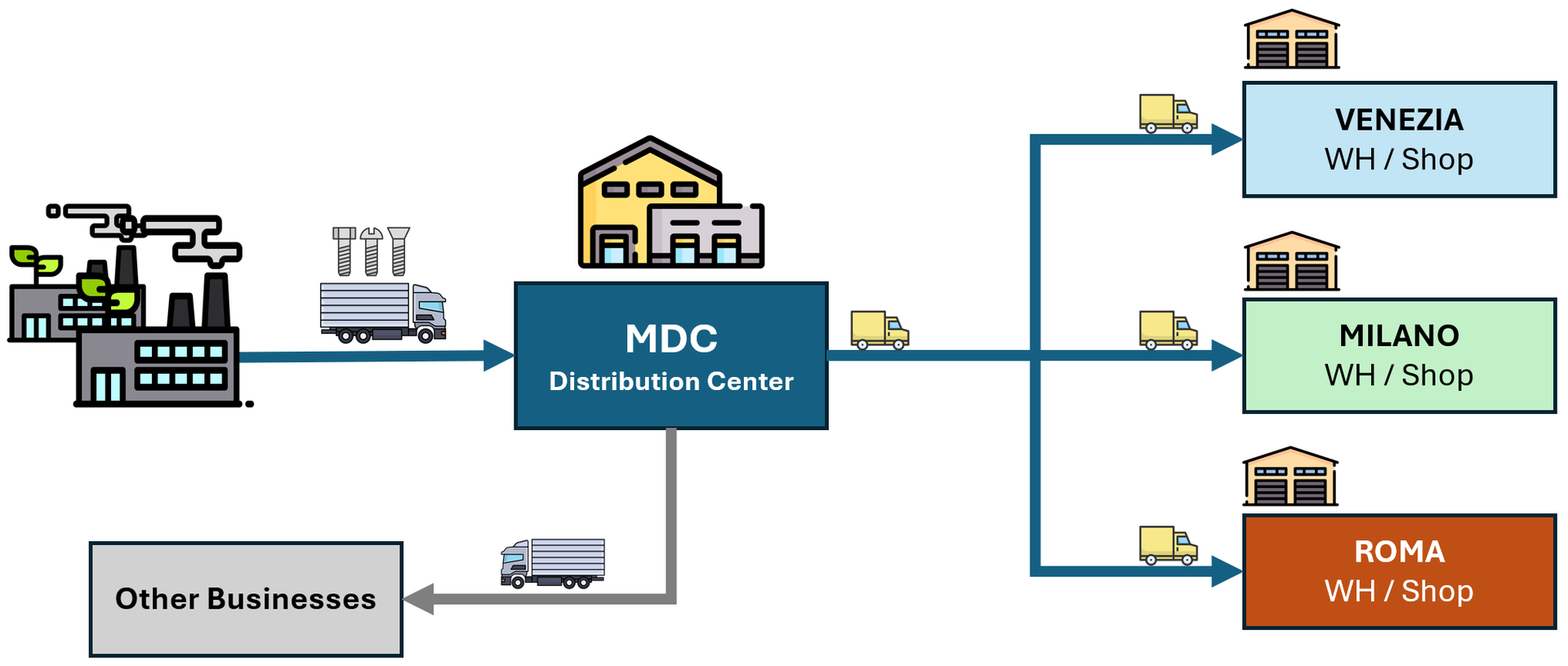
Pragma-Bolts is a leading company that produces and sells bolts, company operations spans four geographically distributed warehouses, produced bolts are shipped and stocked in the Main Distribution Center known as MDC.
The MDC serves as a central hub, replenishing stock for three retail shops MILANO, ROMA, and VENEZIA which handle B2C consumer sales. Additionally, MDC manages a B2B channel by shipping products directly to other businesses.
What is a Location?
A Location represents the physical (or virtual) places within a warehouse. These can include bays, shelves, bins, floor locations and so on. In a WMS, each location is defined with attributes such as unique name, capacity, storage policies and rules.
By mapping the physical warehouse into a logical system, the WMS gains real time visibility and control over inventory movement and storage. An accurate mapping of physical warehouses locations provides multiple benefits such as:
- Improved Inventory Accuracy: Accurate locations are the backbone of inventory accuracy. When every inventory item is assigned to a specific location, the WMS can track stock levels in real time.
- Faster Operations: Storage locations directly impact picking and putaway efficiency, WMS uses location data to guide warehouse operators to the optimal place to store incoming goods (put-away or check-in) and the fastest path to retrieve them during the picking process.
- Better Space Utilization: Warehouse space is expensive. A WMS that leverages accurate storage location data can optimize how space is used by considering factors such as item dimensions, weight, turnover rate, and compatibility with other products.
- Enhanced Traceability and Compliance: For industries such as food, pharmaceuticals, and manufacturing, traceability is critical. Storage locations allow the WMS to track where each batch, or stock unit is stored at any point in time.
- Scalability and Operational Consistency: As warehouses grow or change, having a standardized location structure within the WMS ensures consistency across operations. New staff can be trained faster, processes become repeatable, and expansion or reconfiguration becomes easier to manage.
Naming Locations
Generally locations are identified by their coordinates, for example assuming that the following rack is physically located in a zone named A1-Z1 and aisle 01, we could model it with 6 locations following the pattern {Zone}-{Aisle}-{Column}-{Level} as follows:
- A1-Z1-01-01-A
- A1-Z1-01-01-B
- A1-Z1-01-01-C
- A1-Z1-01-02-A
- A1-Z1-01-02-B
- A1-Z1-01-02-C
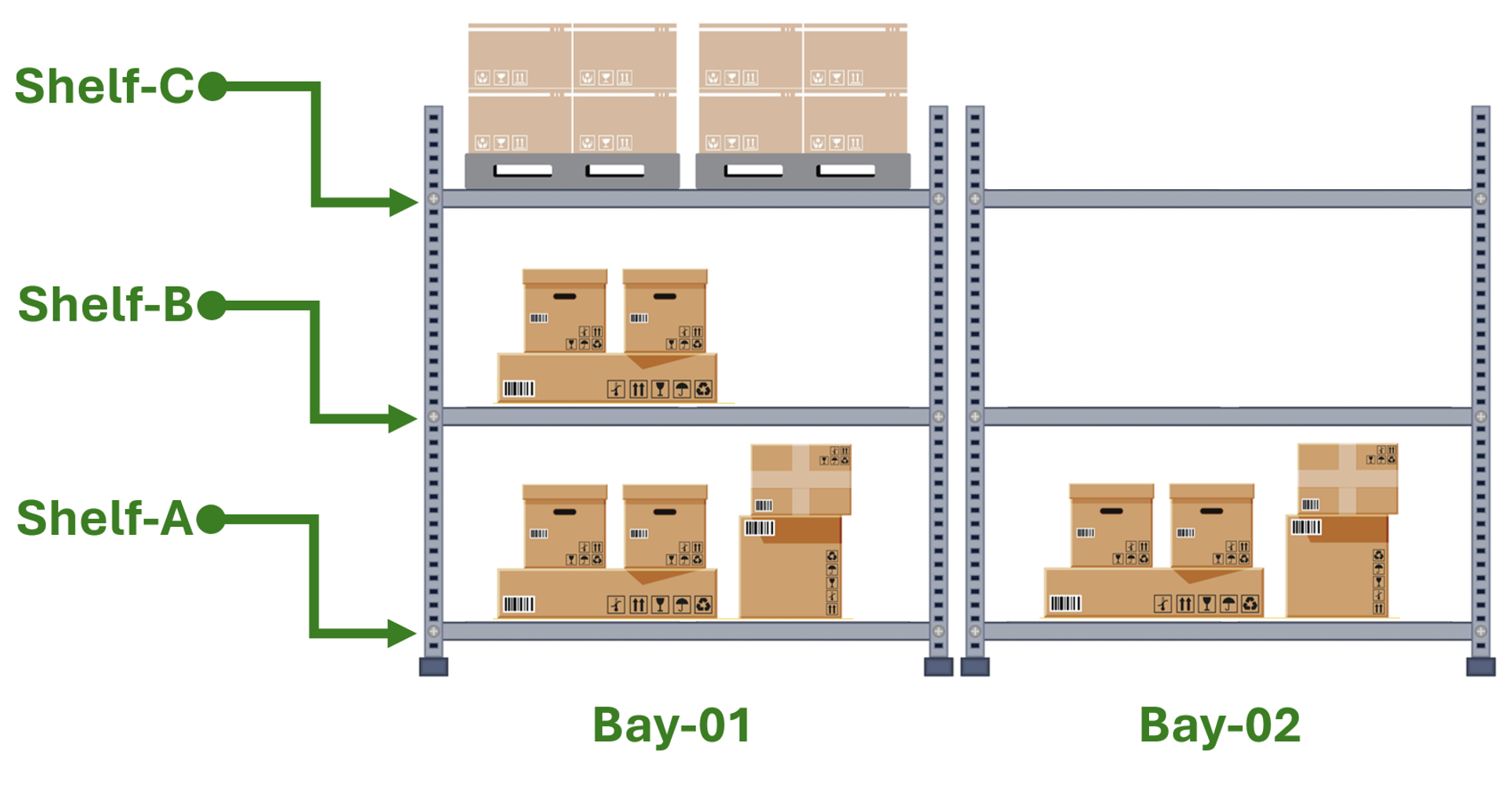
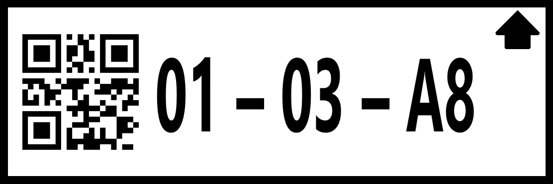
The following is an example of a location label, labels have a barcode that is scanned by operators when moving or picking stock from the location.
When a single shelf is partitioned into multiple locations, we can include a {Bin} coordinate into the naming schema: {Zone}-{Aisle}-{Column}-{Level}{Bin}. For instance, if shelf A1-Z1-01-01 contains four distinct bins, they would be identified as:
- A1-Z1-01-01-A1
- A1-Z1-01-01-A2
- A1-Z1-01-01-A3
- A1-Z1-01-01-A4
Modeling in TLP
Now that we have a basic understanding about Pragma-Bolts operations and what locations are and how they are named, let’s deep dive in a practical example in which we model the different warehouse areas.
Organizations
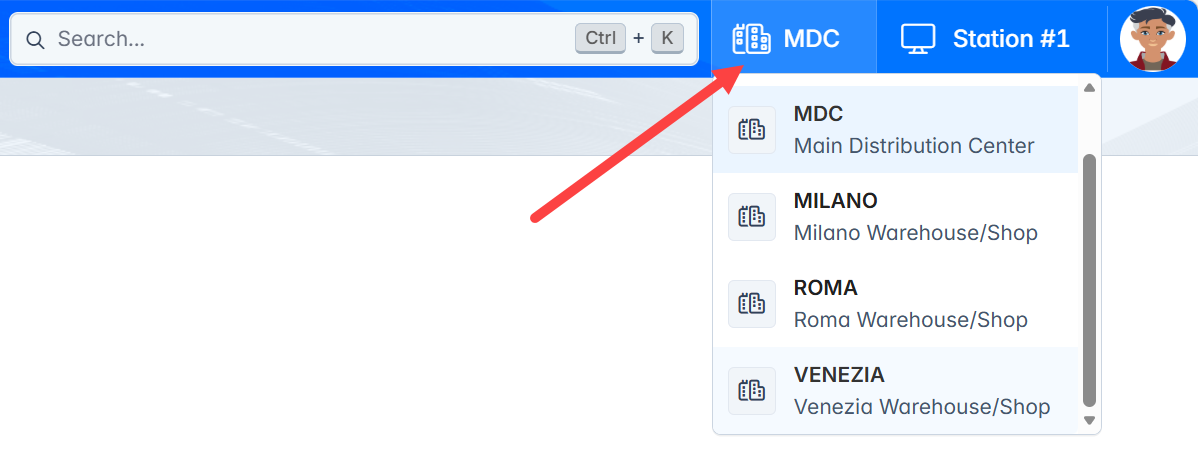
Initially, we modeled each Pragma-Bolts plant as a distinct Organization to ensure data segregation. This structure allows for overlapping naming conventions; for example, both MDC and MILANO organizations can maintain independent locations named A1-Z1-01-01-A without conflict.
The following organizations were created:
- MDC
- MILANO
- ROMA
- VENEZIA
Note
Users can be granted access to multiple organizations, for example some users in the MDC organization will have access to all organizations, organizations will be discussed in detail in a dedicated tutorial.
Users assigned to multiple organizations can switch between them using the organization selector in the header.
The following table summarizes warehouses of all four organizations, and how they are structured, next sections will provide more insights about each one of them:
| Organization | Area | Zones | Aisle | Bays | Shelves | Bins | Total |
|---|---|---|---|---|---|---|---|
| MDC | A1 | Z1 | 8 | 20 | 7 | -- | 1120 |
| MDC | A2 | Z1-Z4 | 6 | 20 | 10 | -- | 1200 |
| MILANO | A1 | Z1 | 4 | 16 | 3 | 8 | 1088 |
| ROMA | A1 | Z1 | 4 | 16 | 3 | 8 | 1088 |
| VENEZIA | A1 | Z1 | 4 | 16 | 3 | 8 | 1088 |
MDC Area A1
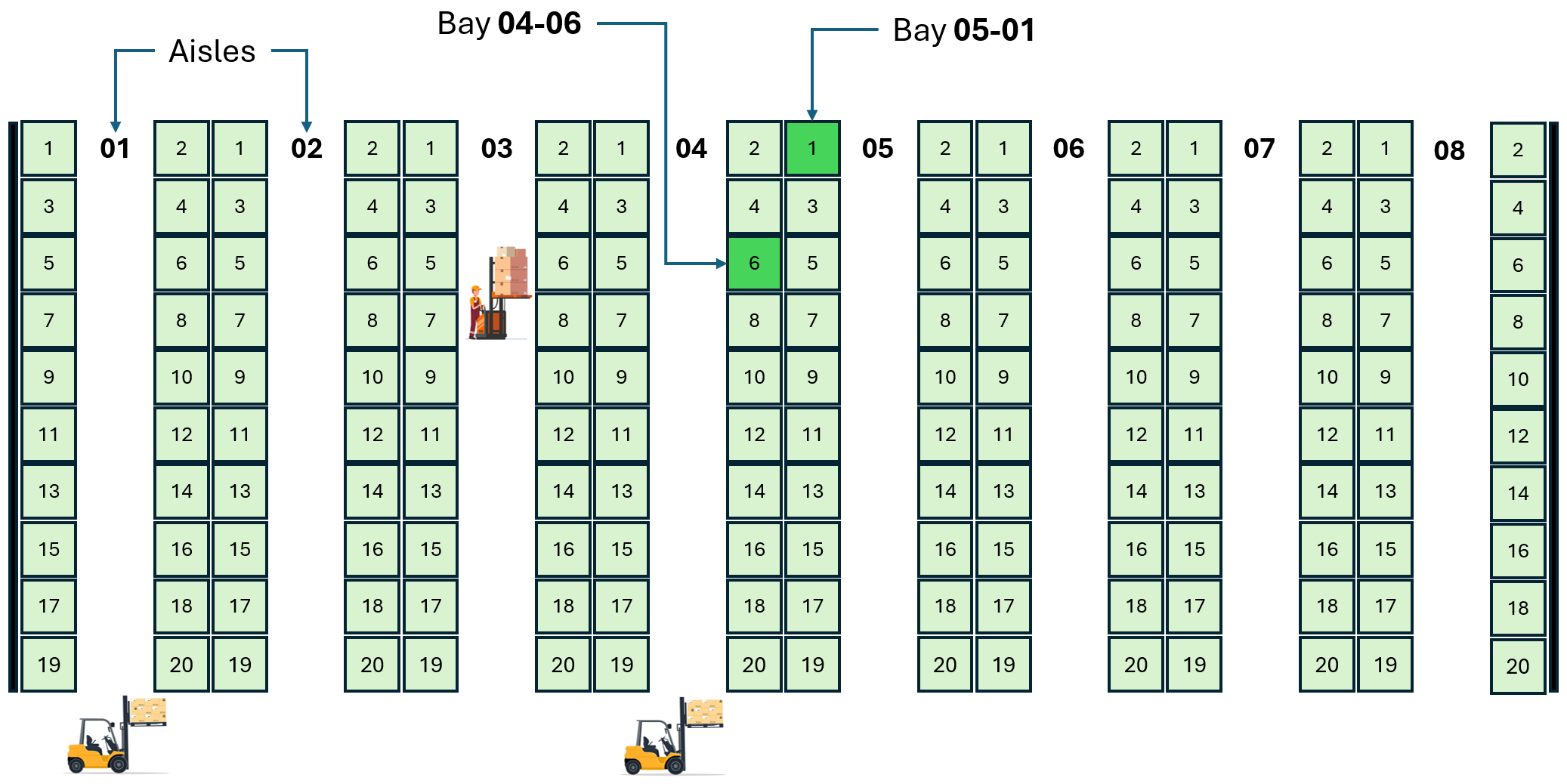
The image below illustrates a top view of MDC area A1 which is composed of 8 aisles; each aisle consists of 10 bays on each side; and each bay has 7 levels of shelves; in total area A1 has a capacity of 8 x 20 x 7 = 1120 HUs.
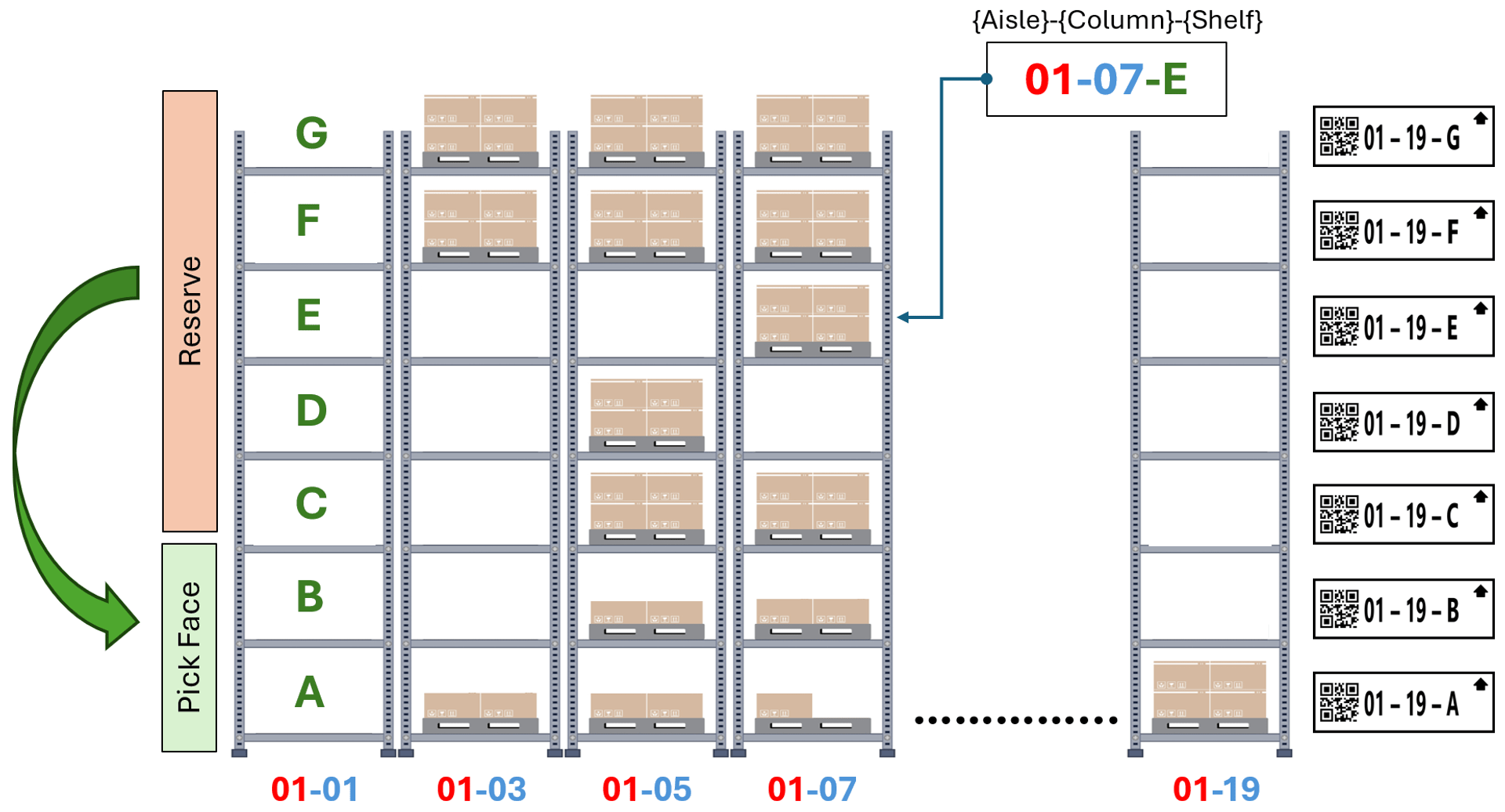
The image below illustrates a front-view of one of the racks in aisle 01, we can observe that shelves A and B are configured as pick-face locations, while shelves C-G are configured as reserve locations, the process is designed as follows:
- Operators pick StockUnits from shelves A and B only.
- When quantities in pick-face locations A and B go below a certain level known as reorder-point WMS generates an automatic task to replenish it by transferring stock from the reserve locations.
- When a reserve location is emptied, WMS generates an automatic task to replenish it by transferring stock from an overstock location (see MDC Area A2).
Note
Reorder logic will be explained in the next tutorials of this series.
MDC Area A2
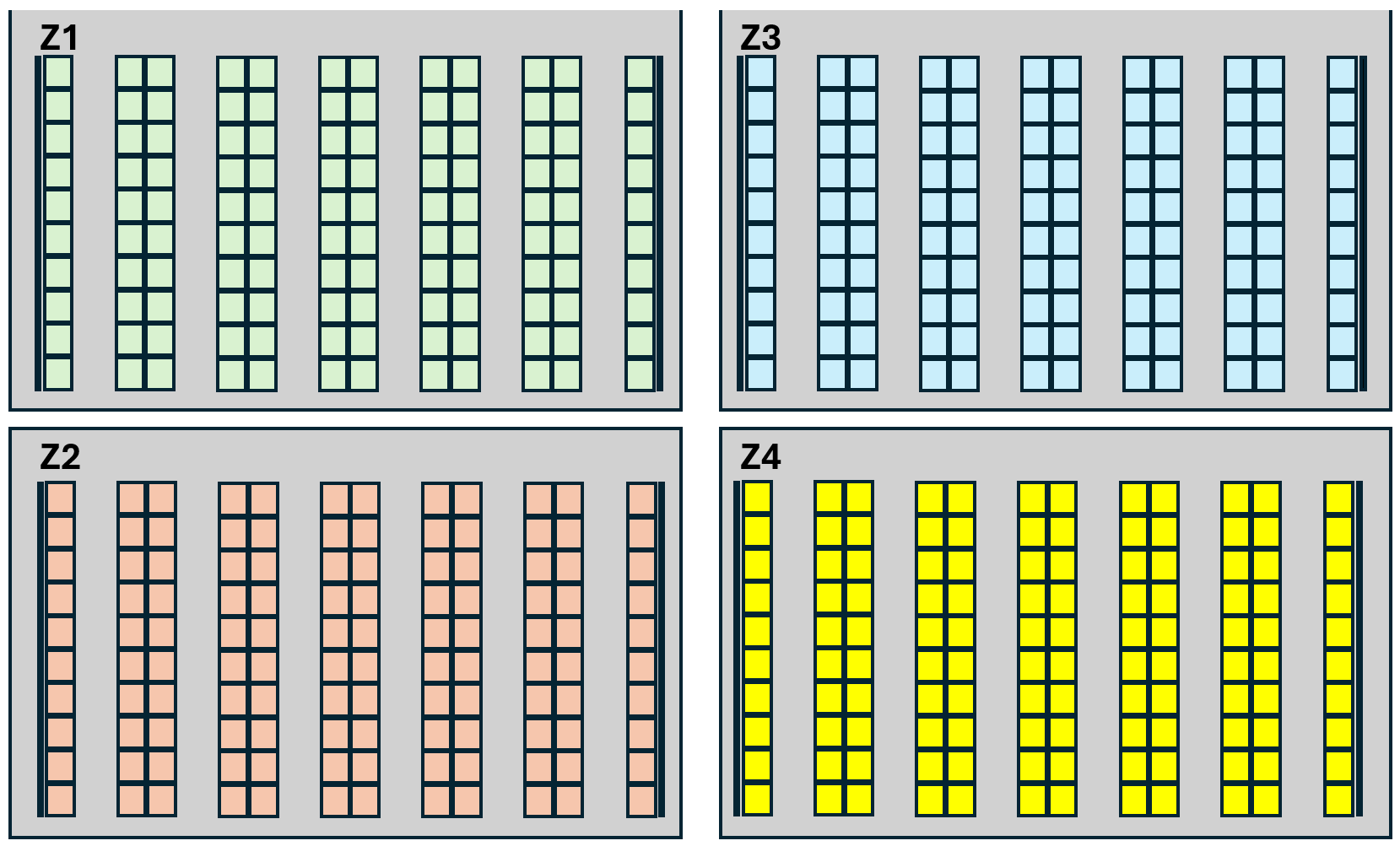
MDC area A2 is configured as an over-stock that replenish area A1 reserve locations, it is composed of 4 identical zones Z1, Z2, Z3, and Z4; each zone is composed of 6 aisles; each aisle has 20 bays; each bay has 10 shelves, total capacity of area A2 is 4 x 6 x 20 x 10 = 4800 pallets.
Shop Area A1
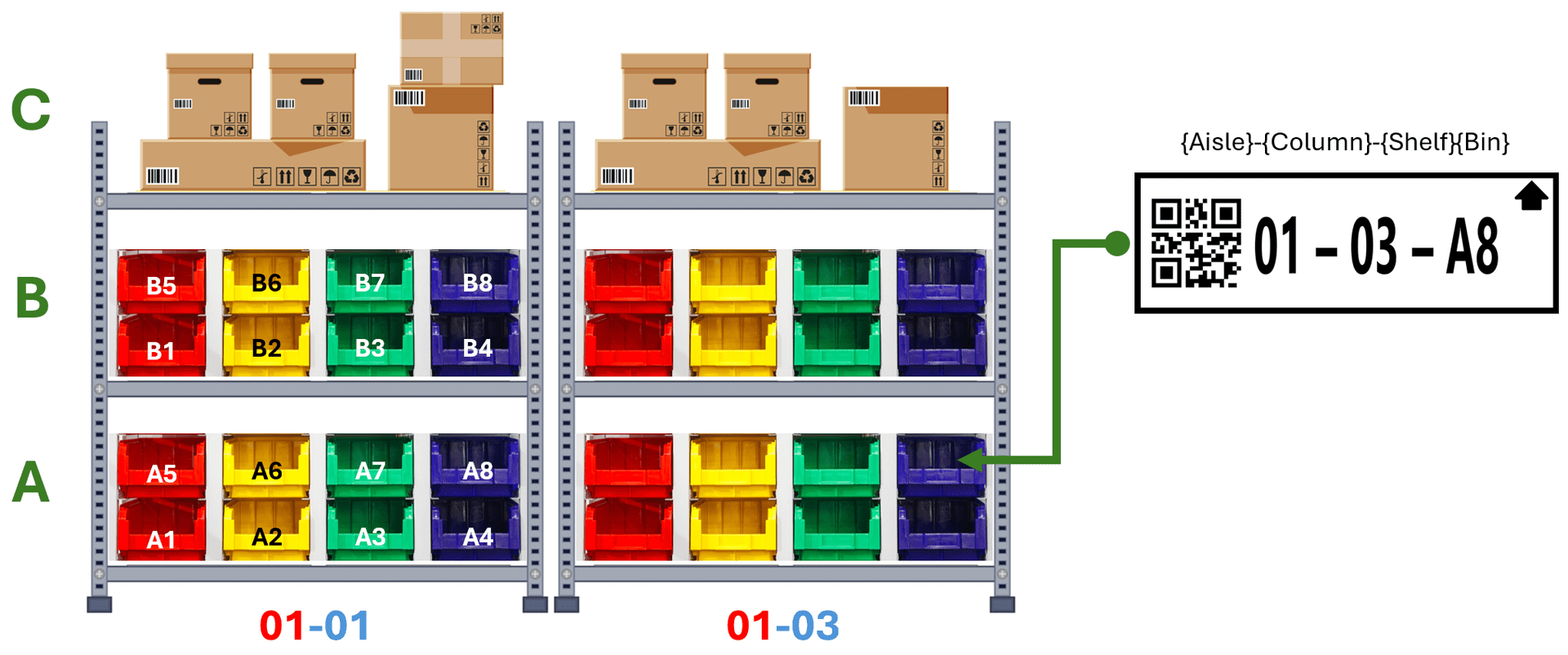
All shops MILANO, ROMA, and VENEZIA have an identical warehouse that is composed of 4 aisles; each aisle consists of 8 bays on each side; each bay has 3 levels of shelves; shelves A and B has 8 plastic bins; in total the warehouse has a capacity of 1088 Locations of which 1024 are plastic bins.
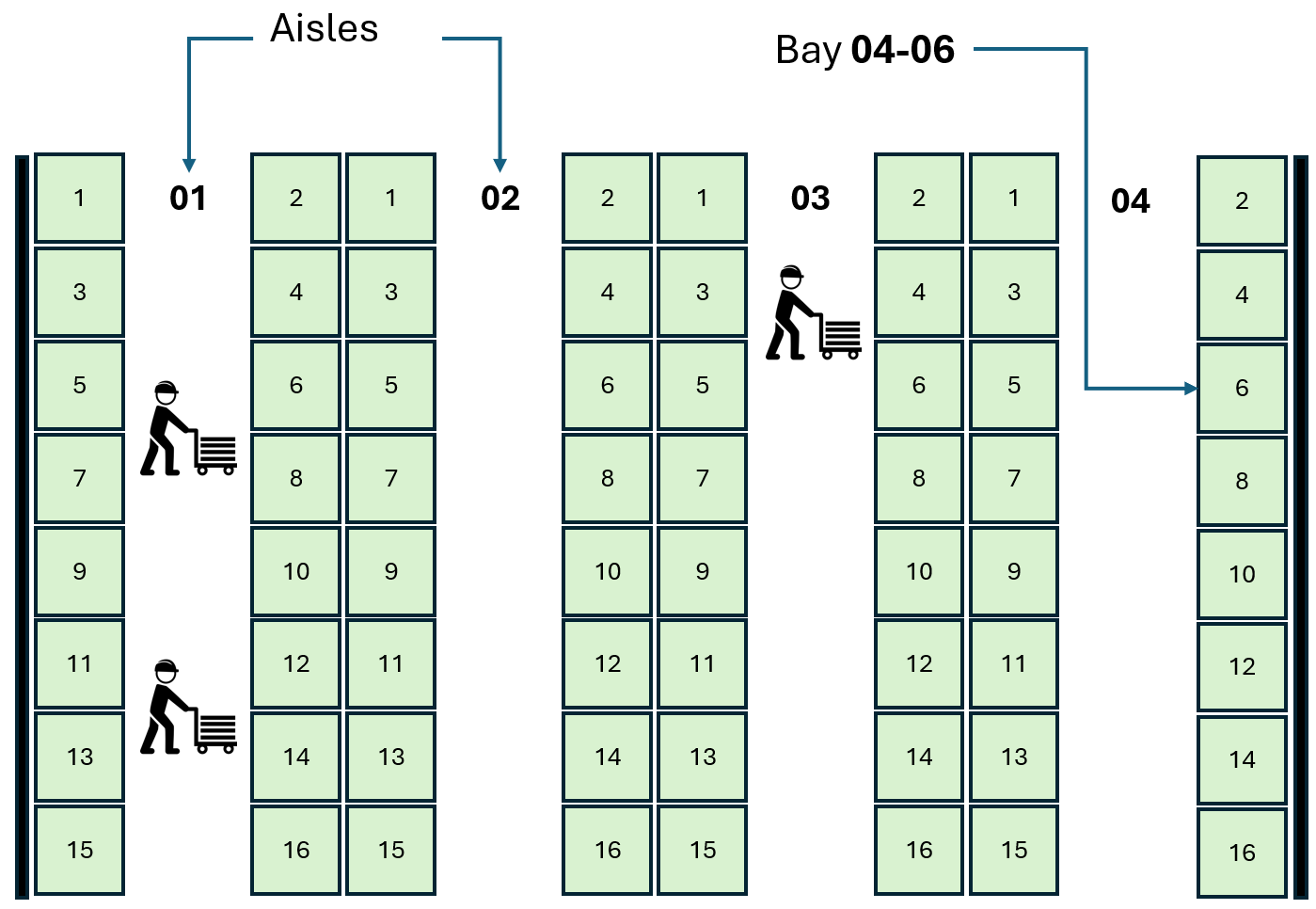
The following is a front-view of one of the racks, note that shelves A and B have 8 plastic bins each, each bin stores bolts of the same SKU.
Creating Areas and Locations
Now that we know how the MDC warehouse is structured, let’s see how those locations can be created, for this we prepared a video, at high level the steps are:
- Log to the desired organization, for example MDC
- Create area A1
- Create locations of area A1
- Configure location details
- Print labels
- Release locations
- Repeat the same process for area A2 and then for the other organizations.
Summary
In this tutorial we saw how to model warehouse locations using TLP, in the next tutorial we will take a look on the replenishment process.
— Omar